
diados
Extension of the Day

diados

5.0 FREE
  • Screenshot 1

Description

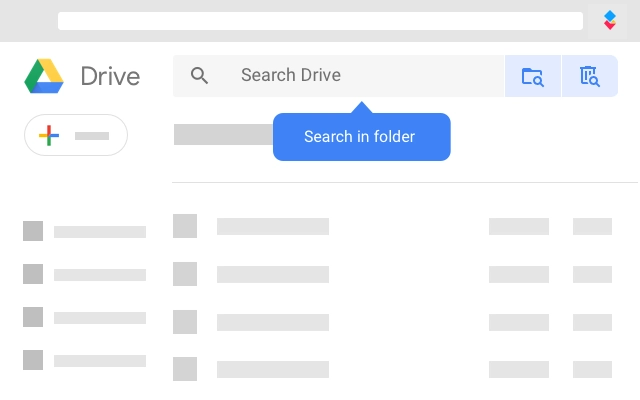
----------------------------------------------------------------✨ MAIN FEATURES★ Easy access to your AODocs libraries from Google Drive★ Create and open any Microsoft Word™, Excel™, PowerPoint™ files directly from Google Drive, edit them in your desktop Microsoft Office™ application, and save your changes directly to Google Drive in one click★ Import, create, move, rename, copy, delete AODocs files or folders★ Fill AODocs document properties or change workflow state★ Import Gmail messages into AODocs and convert them★ Administration functions for AODocs library administratorsMore on the AODocs Smartbar: https://bit.ly/2khIMlS----------------------------------------------------------------✋ REQUIREMENTS✓ The AODocs application, available on the G Suite Marketplace, must be installed and configured by an administrator of your G Suite domain and you must have an AODocs license associated with your G Suite account.✓ Or your account must be defined as an AODocs external user on a G Suite domain where the AODocs application is installed and configured.----------------------------------------------------------------🎓 WHAT IS AODocs?AODocs turns your Google Drive into an enterprise file server.★ Centralized document ownershipAll documents managed by AODocs are owned by a single system account, thus protecting end users against accidental data loss (for example, when a user leaves the company).★ Sharing permissionsCreate secure folders where only administrators can change the document sharing permissions and configure a whitelist of authorized external shares (individual users or entire domains).★ Push to My DriveFolders managed by AODocs are automatically “pushed” to the My Drive of users who have access to them.No need to request the link from co-workers!★ Advanced Document Management features, including customer document properties, configurable workflows, version control, and audit logs.More on AODocs: https://www.aodocs.com----------------------------------------------------------------🔒 PERMISSIONS AND PRIVACY➤ The AODocs Smartbar requires a set of permissions to be able to interact with your G Suite pages. Here’s what the permissions are used for:https://goo.gl/vmDpvK➤ We are dedicated to protecting your privacy and using your data responsibly. For more details, visit our privacy policy:https://www.aodocs.com/privacy-policy/

Guides & Tutorials for AODocs Extension for Chrome

How to install AODocs Extension for Chrome
  1. Click the Preview / Download button above.
  2. Once redirected, accept the terms and click Install.
  3. Wait for the AODocs Extension for Chrome download to finish on your device.
How to use AODocs Extension for Chrome

This software is primarily used for its core features described above. Open the app after installation to explore its capabilities.

User Reviews for AODocs Extension for Chrome 0

    No reviews found

Similar Apps


